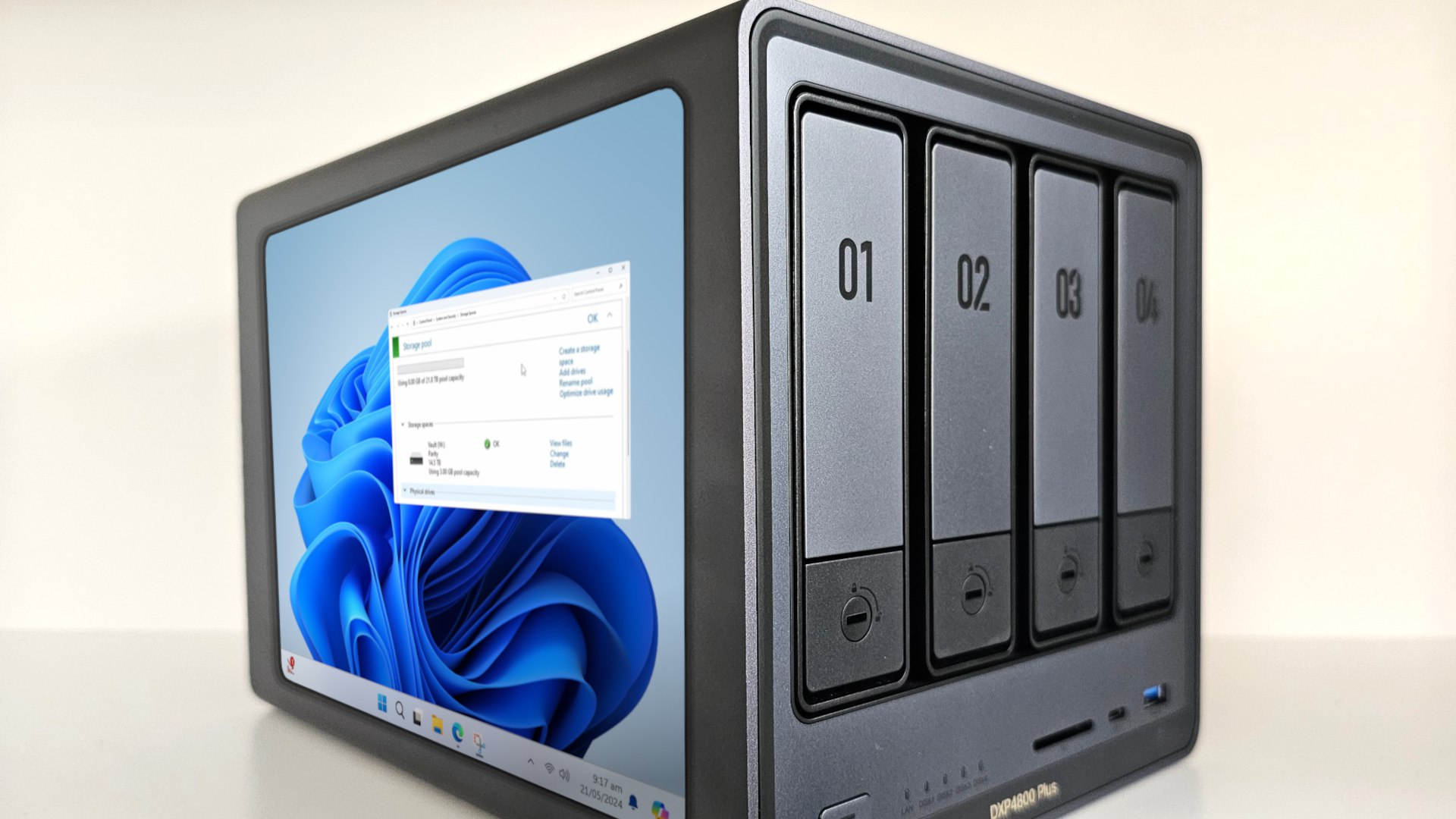
Managing the ever growing number of photos, videos and documents on your disparate range of devices at home in our modern world has not been easier as of today. Here is where a Network-Attached Storage (NAS) system comes into play as the perfect remedy to this everyday problem, a storage system that has one central point to hold all your digital assets. Setting up a home NAS allows you to forego dealing with random external drives and provides secure access to your files from any device on your network, anytime you please. This detailed guide will cover the full set of steps you must follow to establish your own NAS system, including the best hardware to buy. Whether you’re a tech-savvy individual in search of optimized solutions for your home network or a regular user aiming for reliable backup systems, knowing how to configure and manage a NAS will unlock the potential of your digital storage.
What Is a Home NAS and Why Do You Need One?
Network-Attached Storage (NAS) systems act as a dedicated file server that connects directly to your home network, offering centralized storage that all your devices can access. Unlike external hard drives, which you connect to one computer at a time, a NAS is its own device, which means that you have access to your files stored on it even when your computers are turned off. NAS has more powerful hardware than most cloud storage services, giving you full control over your data without monthly fees, and at faster transfer speeds if you need to access your data locally. Its strengths lie with solid backup solutions, media streaming, and the ability to scale storage capacity with needs. For more advanced users, a NAS offers unrivaled features, including access to files from any device on your network, automated backup scheduling, redundancy through RAID configurations and the opportunity to self-host cloud services. Moreover, a lot of NAS systems allow you to run a range of different applications, from media servers to surveillance systems, making them an extremely adaptable addition to any home network establishment.
Choosing the Right NAS Storage Device for Your Needs
Choosing the right NAS is just about finding a box with the right bits in any old arrangement, though. Number of Drive Bays: This directly dictates your total storage capacity and level of redundancy – a two-bay NAS can set up mirroring for a bit of redundancy, but with four or more you get options for high availability versus capacity. You also need to take storage capacity planning into your consideration so that the solution is capable of supporting future growth (most current NAS systems support up to 20TB drives). Network connectivity is important to performance – a Gigabit Ethernet port works for the average home user, but content creators or media enthusiasts may want 10GbE support in order to accept multiple source feeds and pull content faster. RAID setups are varied by model, with more powerful units supporting more capable configurations (such as RAID 5 or RAID 6) for greater data protection. Those on a budget can look to basic two-bay models from trusted companies like UGREEN, whereas high-end devices boast things like hardware transcoding, virtualization support, and superior processing power. Especially in the case of putting the NAS in living spaces, take system power draw, noise levels and the physical footprint of that system into account.
Step-by-Step Guide to Setting Up Your Home NAS
Hardware Installation and Ethernet Connectivity
Your NAS starts with unboxing the actual NAS and identifying all components. Take out the drive bays and insert your hard drives in accordance with the manufacturer’s instructions, carefully aligning the power and data connectors. While the vast majority of NAS devices utilize tool-less removable drive trays, a few still require a screwdriver to mount everything. Reinsert the bays, until they click into place, once drives are secured in place. If you’re setting up your server in a location that is easy for you to access, such as your home office, make sure it’s located in a well-ventilated area and preferably within reaching distance of your router so that you can change its settings if needed. Using the included Ethernet cable, connect the NAS to your router, again using the primary network port if there are multiple available. Use CAT6 or better Ethernet for better performance. Double-check all connections, and use a UPS (for power loss protection). Before powering on, make sure every connection from basis to the core as well as the HDMI to the display is solid.
Initial Software Configuration
Boot the NAS and wait for the boot sequence to finish. Most contemporary NAS systems provide for auto-discovery with manufacturer-specific tools or web interfaces. Enter your NAS control panel by entering your NAS IP address into a web browser or using the discovery utility. Use the initialization wizard to format the drives and set up the RAID array. Ensure that the administrator account has an unguessable password and that connections to your server are encrypted if you plan to use the server remotely. If family members or colleagues will also be accessing the device, create user accounts with the relevant permission levels for them. Set up shared folders according to your structure, like dedicated areas for media, documents, and backups. Open services such as DLNA for media streaming or WebDAV for remote file access. Once your setup is complete, test connectivity from different devices on your network and check if the permissions set are correct.
Mastering File Sharing Protocols for Efficient Data Access
If your NAS system is expanded across various devices and operating systems, understanding file sharing protocols will help maximize its functionality. SMB (Server Message Block) is the de facto file and printer-sharing protocol for Windows-based systems, giving users the native look & feel of accessing a network drive. However, Mac and Linux users can achieve faster performance and better integration with Unix-based systems using NFS (Network File System), which is truly useful for larger files. FTP (File Transfer Protocol) allows universal access regardless of the platform, making it perfect for remote file transfers and serving basic file-sharing systems. Use user-based permissions to limit who can read/write to files and create diverse shares. Configure the server to provide read-only access to the media files, and ensure write-to access is only open to necessary document directories. SMB encryption also works well with cross-platform environments; just make sure to use modern protocol versions (SMB 3.0+) for compatibility and security. If you need features that can allow secured access via HTTPS only, you may opt to use WebDAV instead to access your files remotely (useful in mobile devices or web browsers). SSH and SFTP provide secure command-line access and automated file transfer capabilities, but they should be protected by appropriate firewall rules to prevent undesirable access attempts. It is not within the scope of this paper, but protocol performance and connection logs should be monitored regularly to identify potential bottlenecks or security issues.
Optimizing NAS Storage Performance
The first step to getting the best performance from your NAS is ensuring you have optimized your network infrastructure. Replace your network switches with managed switches that support jumbo frames and allow link aggregation, which allows you to combine multiple Ethernet ports to increase capacity. Arrange your NAS and network devices to reduce the length of cables and the number of potential sources of interference. Instead, you should set all the drives to use some kind of proper RAID setup depending on your usage pattern — RAID 5 or 6 for quality performance and redundancy, or RAID 10 for speed. Check your NAS’s built-in tools for monitoring disk health and enable SSD caching to speed up frequently accessed files. Schedule resource-intensive operations such as backups during off-peak hours to minimize network congestion. Make sure the firmware and applications are up to date to take advantage of performance optimizations and fixes. You should periodically check system logs for bottlenecks, delete unnecessary files, and defragment storage pools as needed. Adjust cache settings accordingly, and enable write caching with UPS to get the maximum transfer speed.
Securing Your Network-Attached Storage System
Securing your NAS system solution and data is essential for safeguarding against unauthorized access and potential attackers, so thorough security measures should be put into action. To kick off, implement encryption at the disk level for data at rest and the network level for data in transit. Establish robust password policies that demand intricate combinations and regular changes, and introduce two-factor authentication for administrative access. Ensure your NAS firmware and apps are updated automatically as updates are released to secure known vulnerabilities. Implement a robust backup strategy using the 3-2-1 method: Keep three copies of your vital data, store it on two cloud and local media types, and have one off-site copy. You also want to regularly check the system logs for any abnormal behavior, such as unauthorized access attempts, and set up email alerts for such events. Use VPN connections to limit remote access instead of opening services to the internet. Instead of sharing admin credentials, create separate user accounts, assigning the necessary permissions, and regularly audit access logs for security oversight.
Establishing a Robust Home NAS Setup
Setting up a home NAS system is a major step toward regaining control of your digital life. With a centralized storage solution, you are not only keeping your files more organized, you are also building a solid foundation for your home network for years to come. So the investment — in time and resources — that you put into setting up your NAS right will pay off in terms of data security, easier file sharing, and access whenever you need it, from all of your devices. And remember, your NAS setup is something that can grow with you, whether that means expanding the storage you have, adding on additional services, or creating more complex backup strategies. Now you have all the essential tools to keep your network storage setup functional, secure, and optimized to revolutionize how you organize and safeguard your precious data, following the tips in this guide. Start today and have the confidence associated with a properly configured home NAS solution.